
Look inside any archive before you extract it.
Kutio opens zip, 7z, tar and rar archives like a folder in Finder. Browse, preview and pull out exactly the files you need, without unpacking the rest.
Free to open, browse, preview and extract. No account required.
Free, forever
Look before you unpack
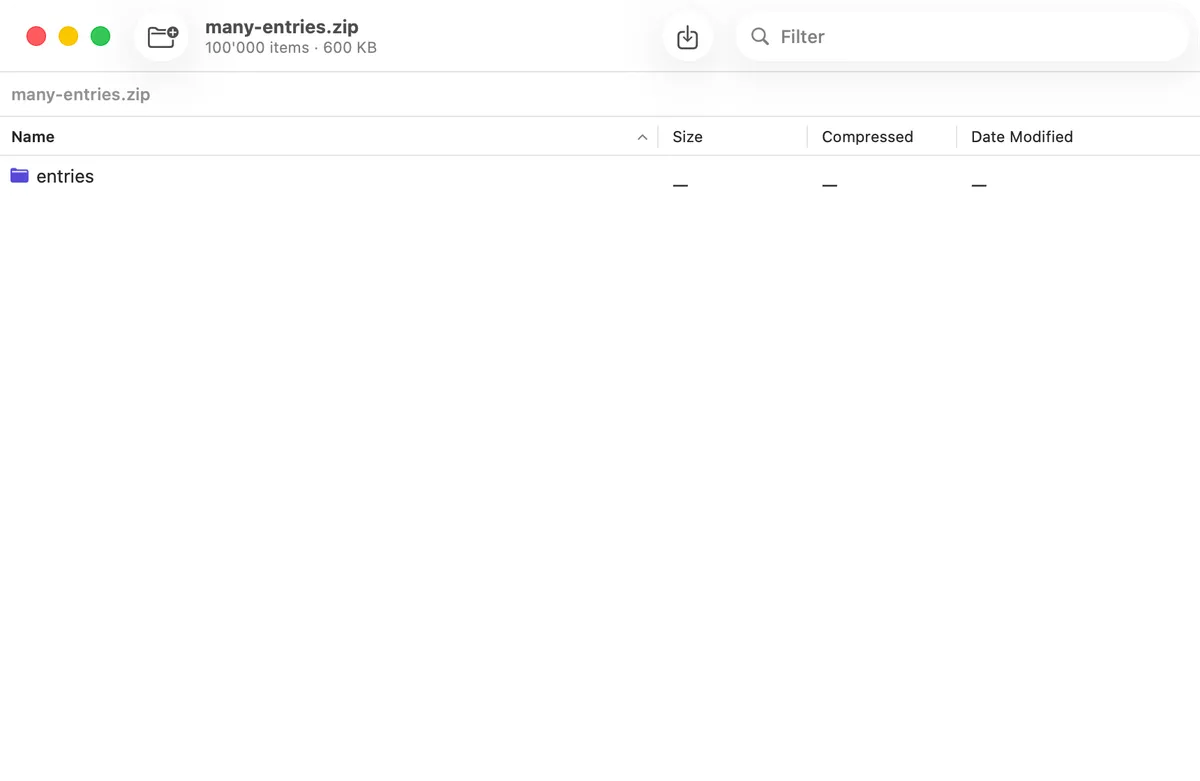
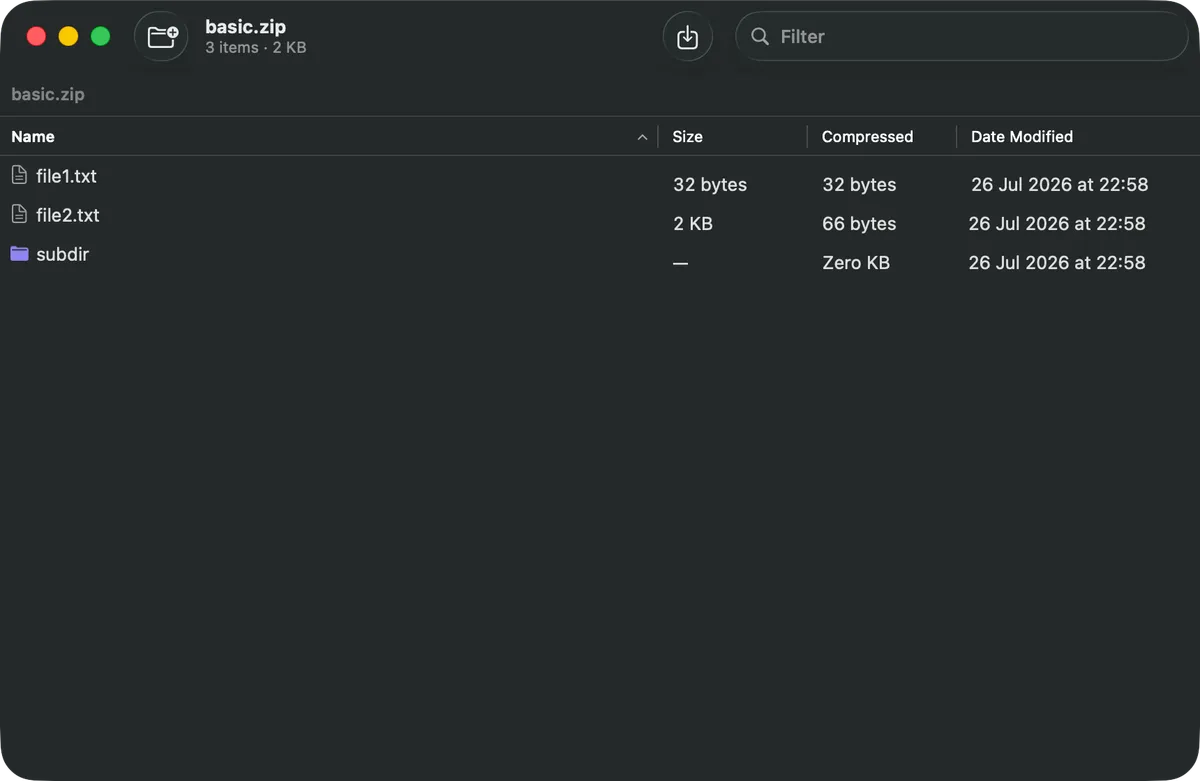
Open a .zip, .7z, .tar or .rar and see every file and folder inside, sorted and searchable, exactly like a Finder window. Drill into an archive nested inside another archive the same way. Nothing is extracted until you ask for it.
Preview without leaving the archive
Select a file inside the browser and see a full Quick Look preview alongside its size, dates, permissions and checksum. Press Space on the archive itself in Finder and Kutio shows what’s inside on the spot, with no need to open the app at all.
Take out only what you need
Select any file or folder inside an archive and drag it straight to the Finder, a folder, or another app. The rest of the archive stays exactly as it was.
Know an archive is intact before you trust it
Verify an archive against its own stored checksums before you rely on it, especially after a long download. Verification is free, because bad news about a broken file shouldn’t cost extra.
Right where you already are
Extract, compress or open an archive straight from Finder’s right-click menu and Services menu, without switching to another window first.
One queue for everything
A single batch queue shows progress for every extraction and compression in flight. It’s free for everyone, since it’s the same panel a free extraction reports into.
Nothing leaves your Mac
Kutio runs entirely on your machine. Opening, browsing, compressing, extracting and encrypting all happen locally. There is no account and nothing to sign in to.
Kutio collects no analytics and sends no telemetry. The app contains no network code of its own; the only exception is the Mac App Store’s own purchase and subscription system, handled entirely by Apple, which Kutio needs to know whether Pro is unlocked.
Kutio only ever touches the files you open or drop onto it, inside the sandbox macOS enforces on every app from the App Store.
Kutio Pro
Compress into six formats, at the level you choose
Create Zip, 7z, tar, tar.gz, tar.xz or tar.zst archives at four compression levels, with a real before-and-after size comparison rather than an estimate.
Add, delete and rename without rebuilding
Change what’s inside an existing archive directly, instead of extracting everything, editing, and re-compressing. Every edit writes to a copy first and swaps it in atomically, so an interruption at any point leaves the original untouched.
AES-256 encryption, honestly enforced
Password-protect an archive with AES-256. Kutio refuses to add a file to an already-encrypted archive without the password, rather than silently writing it in the open next to the protected ones.
Split large archives into volumes
Break a large archive into multiple parts at a size you choose, useful for slow uploads, email attachment limits, or media with its own size cap.
Free vs. Kutio Pro
Free, forever, no account needed
- Open and browse every supported format
- Quick Look previews, in the app and in Finder
- Extract everything, or just what you select
- Drag files out of an archive directly
- Verify an archive’s integrity
- Finder integration (right-click menu and Services)
- The batch queue, for every operation
Kutio Pro $9.99/year or $24.99 once
- Create Zip, 7z, tar, tar.gz, tar.xz and tar.zst archives
- Add, delete and rename entries inside an existing archive
- AES-256 password protection
- Split large archives into multiple volumes
Both options unlock the same features. Choose whichever suits how you buy software.
Which formats does Kutio support?
“Create” means Kutio Pro can produce a new archive in that format. Formats without a “Create” mark can still be opened, browsed, previewed and extracted for free.
| Format | Extensions | Open / browse / extract | Create (Pro) |
|---|---|---|---|
| Zip | .zip | Yes | Yes |
| 7-Zip | .7z | Yes | Yes |
| Tar | .tar | Yes | Yes |
| Tar + gzip | .tar.gz, .tgz | Yes | Yes |
| Tar + bzip2 | .tar.bz2, .tbz2, .tbz | Yes | Not yet |
| Tar + xz | .tar.xz, .txz | Yes | Yes |
| Tar + Zstandard | .tar.zst, .tzst | Yes | Yes |
| Gzip | .gz | Yes | Not yet |
| Bzip2 | .bz2 | Yes | Not yet |
| XZ | .xz | Yes | Not yet |
| Zstandard | .zst | Yes | Not yet |
| LZ4 | .lz4 | Yes | Not offered |
| RAR | .rar | Yes (extract only) | Never |
Frequently asked questions
What is Kutio?
Kutio is a native Mac app for opening, browsing and creating archives: zip, 7z, tar and its compressed variants, and rar. It shows an archive’s contents the way Finder shows a folder, before you extract anything.
Which formats does Kutio support?
Zip, 7z, tar, tar.gz, tar.xz, tar.zst, gzip, bzip2, xz, Zstandard, LZ4 and RAR. See the formats table above for exactly which of those Kutio can also create, since not every format that opens can be created.
Can Kutio create RAR archives?
No, and it never will. RAR extraction relies on RARLAB’s own UnRAR code, and that code’s license explicitly forbids using it to build a RAR-compatible archiver. Kutio can open and extract RAR archives you receive; creating a new one is legally off the table, not a missing feature.
Does Kutio work offline?
Yes. Opening, browsing, previewing, extracting, compressing and encrypting all run locally and need no network connection. The only feature that talks to a server at all is checking your Kutio Pro purchase, which is Apple’s own Mac App Store system, not anything Kutio built.
Does Kutio upload my files or collect any data?
No. Kutio has no account system, no analytics and no telemetry, and contains no code that uploads a file anywhere. An archive you open in Kutio never leaves your Mac.
What’s free, and what needs Kutio Pro?
Opening, browsing, previewing, extracting and verifying archives are free forever, with no limits and no trial period. Kutio Pro adds creating new archives, editing an existing archive’s contents, AES-256 encryption, and splitting into multiple volumes.
Why is Kutio Pro a subscription instead of a one-time purchase?
It’s offered both ways: an annual subscription, or a one-time lifetime purchase that never expires. A subscription supports the ongoing work of keeping Kutio compatible with new macOS releases and continuing to take file safety seriously. If you’d rather pay once, the lifetime option unlocks exactly the same features for good.
What happens if my subscription lapses?
Creating, editing, encrypting and splitting archives become unavailable again until you renew or switch to the lifetime unlock. Opening, browsing, previewing, extracting and verifying archives stay free, exactly as they were before you subscribed. Any archive you already created keeps working normally in Kutio or any other archive tool; a lapsed subscription never locks or deletes anything you’ve made.
Is it safe to edit an archive in Kutio? What if the app crashes mid-edit?
Every edit to an existing archive is written to a copy first and only swapped in once it finishes successfully. If Kutio is force-quit or the Mac loses power partway through an edit, the original archive is left exactly as it was, byte for byte.
Can Kutio open password-protected archives?
Yes, opening and extracting an archive you already have the password for is free, like any other extraction. Creating a new password-protected archive with AES-256 is part of Kutio Pro.
How is Kutio different from Keka, The Unarchiver or BetterZip?
The main difference is that Kutio treats an archive as something you browse, not just something you unpack. You can look inside, preview a file, and drag out one item without ever extracting the rest, including from Finder’s own Quick Look panel with Kutio closed. Kutio is also explicit about what its underlying tools can and cannot do, such as refusing to silently write an unencrypted file into a password-protected archive.
How does Kutio access my files? Is it sandboxed?
Kutio runs inside the standard macOS App Sandbox. It can only see the files and folders you explicitly open, drop onto it, or grant it access to through the system’s own file picker; it has no standing access to the rest of your Mac.
Download Kutio
Free to open, browse, preview and extract, with no account required. Kutio Pro adds creating and editing archives, AES-256 encryption and split volumes.


Listing in progress. The App Store page opens here once it is published.